After the session
Standings, results and the leaderboard card
Follow the table, look up any player, and share a leaderboard to the group chat.
For hosts2 min
- 1
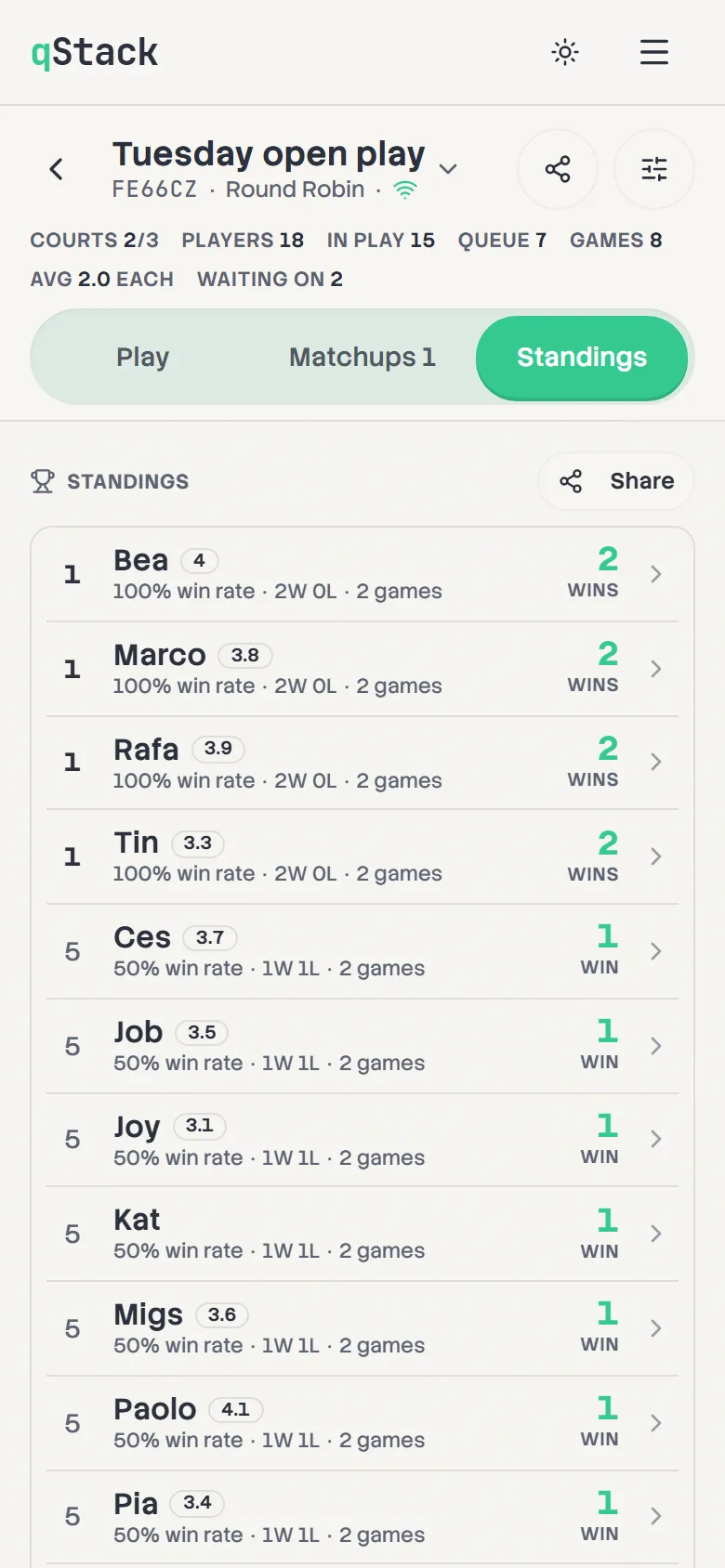
Standings
Players are ranked by wins, then win rate, then fewer games played. Identical records share a place. If the board isn't recording who won, the table shows games played instead.
- 2
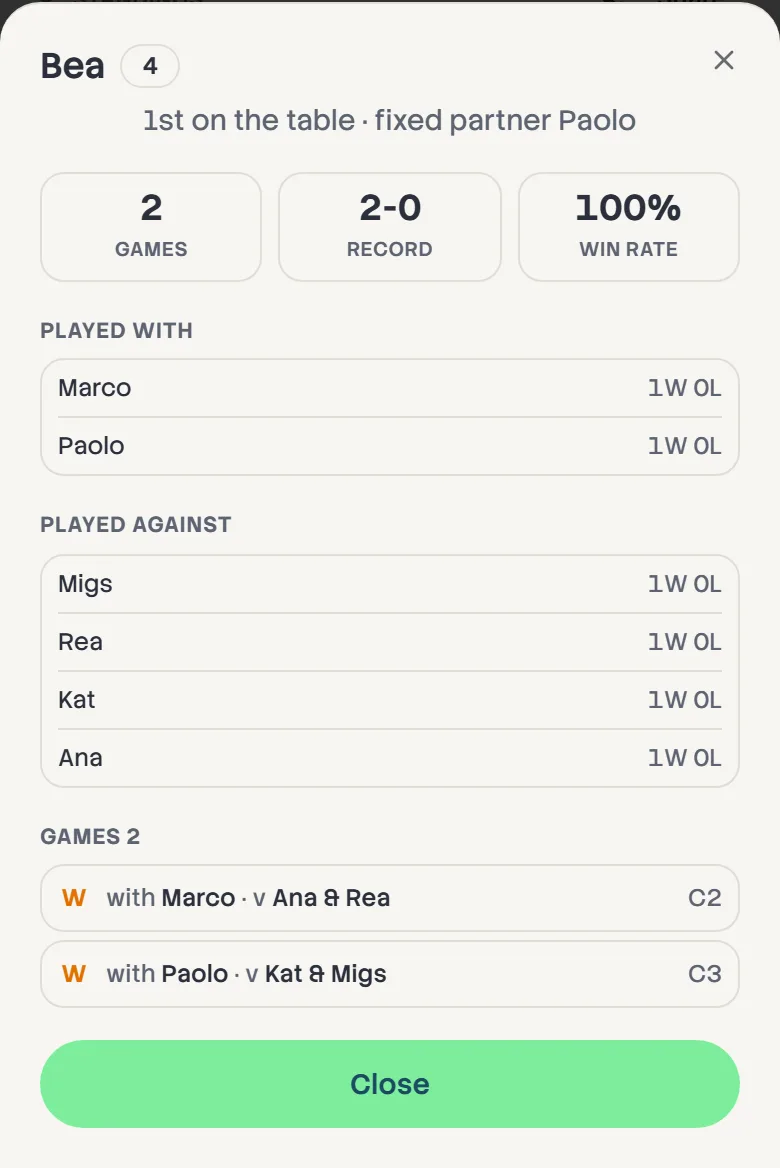
Look up a player
Tap anyone in the standings to see their games, who they played with and against, and their record against each.
- 3
Tick results off
Entering results somewhere else, like DUPR? Tick each game in Results as you go, and the count tells you how many are left. It's only a note for you and changes nothing on the board.
- 4
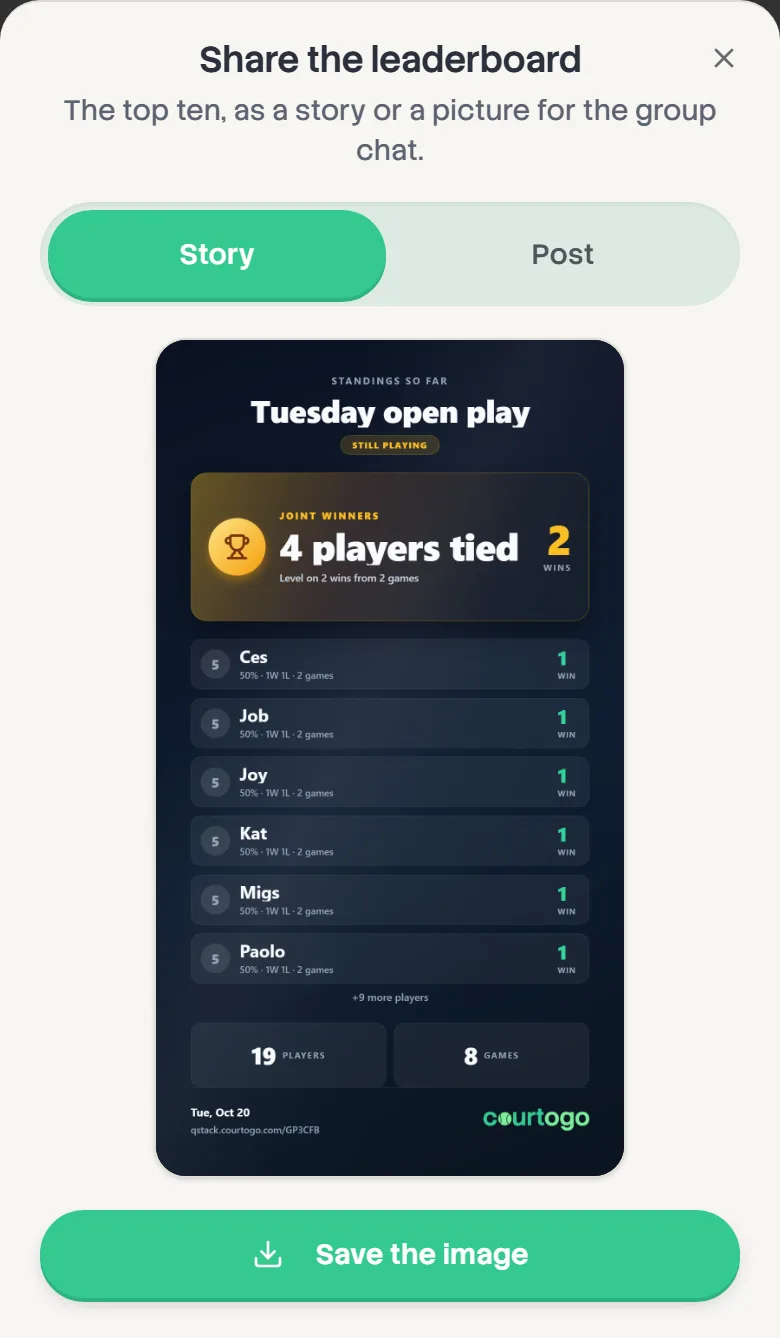
Share the leaderboard
Tap Share beside the standings, choose Story or Post, then save it or share it. The card shows the top ten, the session name and the date.
- 5
Everyone gets a recap
Once the session ends, each player sees Your recap at the top of their board: their record and place, best streak, time on court, and who they won most with. They can save it or share it, as a Story or a Post. You can share anyone's from their card in the standings with Share recap.