Getting started
Bring your Reclub list
Paste the player list from Reclub and qStack fills in the names, the session name and the courts.
For hosts2 min
- 1
Copy the list out of Reclub
Open your event in Reclub and copy the whole player list, heading included.
- 2
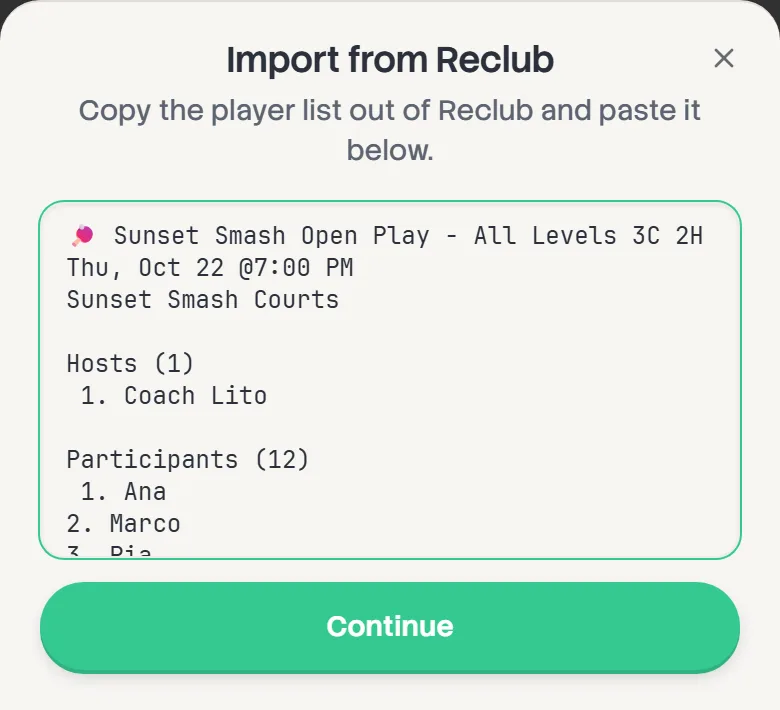
Paste it into qStack
On the first step of setup, tap Import from Reclub, paste, and tap Continue.
- 3
Tick who's actually playing
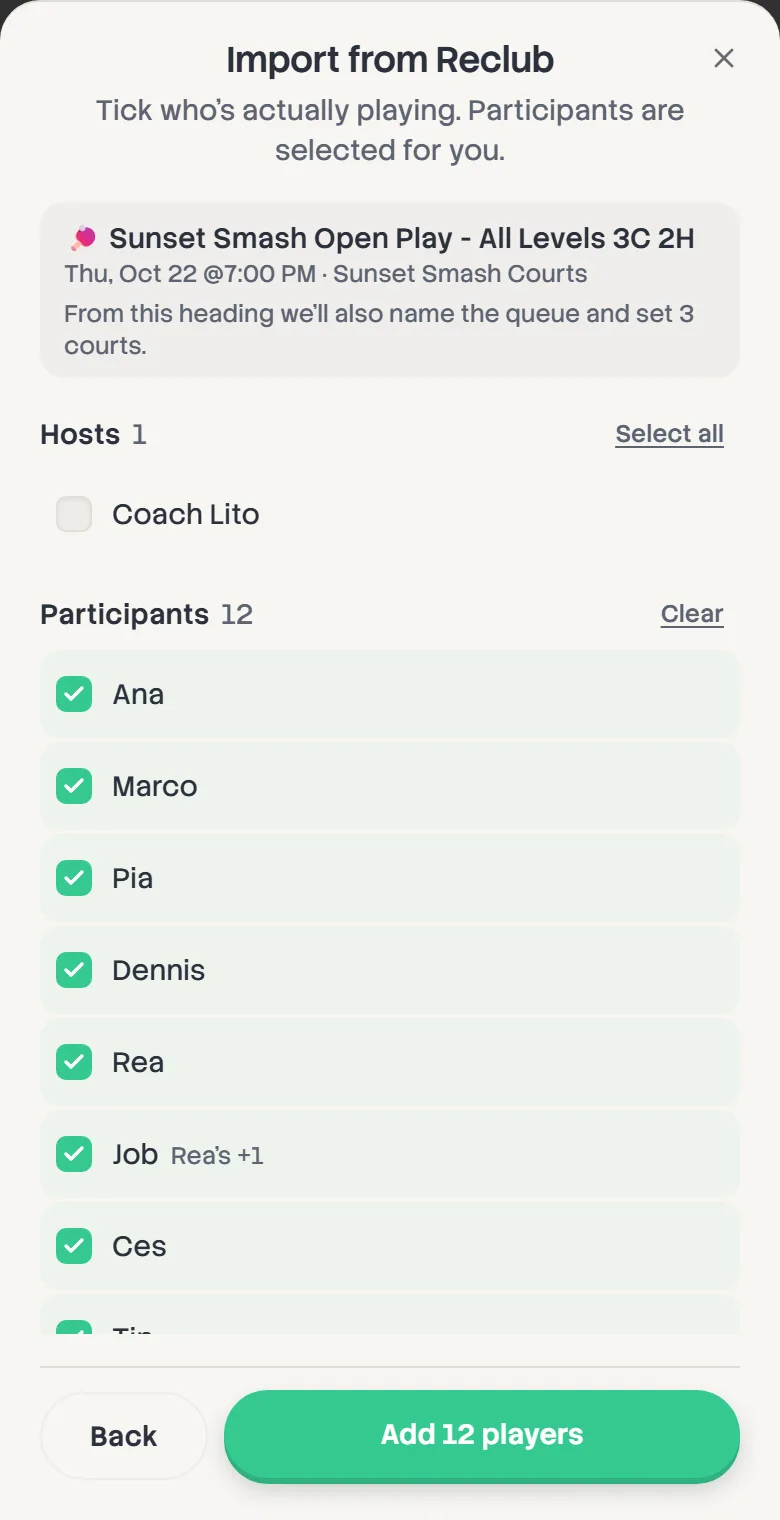
Players are grouped the way Reclub lists them. Participants are ticked for you, and Waitlist, Hosts and the rest are not. Use Select all or Clear on any group, then tap Add 24 players (or however many you ticked).
If the event heading says how many courts ("2C"), the session name and the court count are filled in too. Anything you've already set is left alone.
- 4
Check people in as they arrive
Imported players start not checked in, so nobody gets put on a court before they've turned up. Tap Check in on the board as each one walks in.
You can import again on the board itself, up until the first game goes on.