During the session
Run it with a co-host
Give a friend the same controls on their own phone, by link or by email.
For hosts2 min
- 1
Send the co-host link
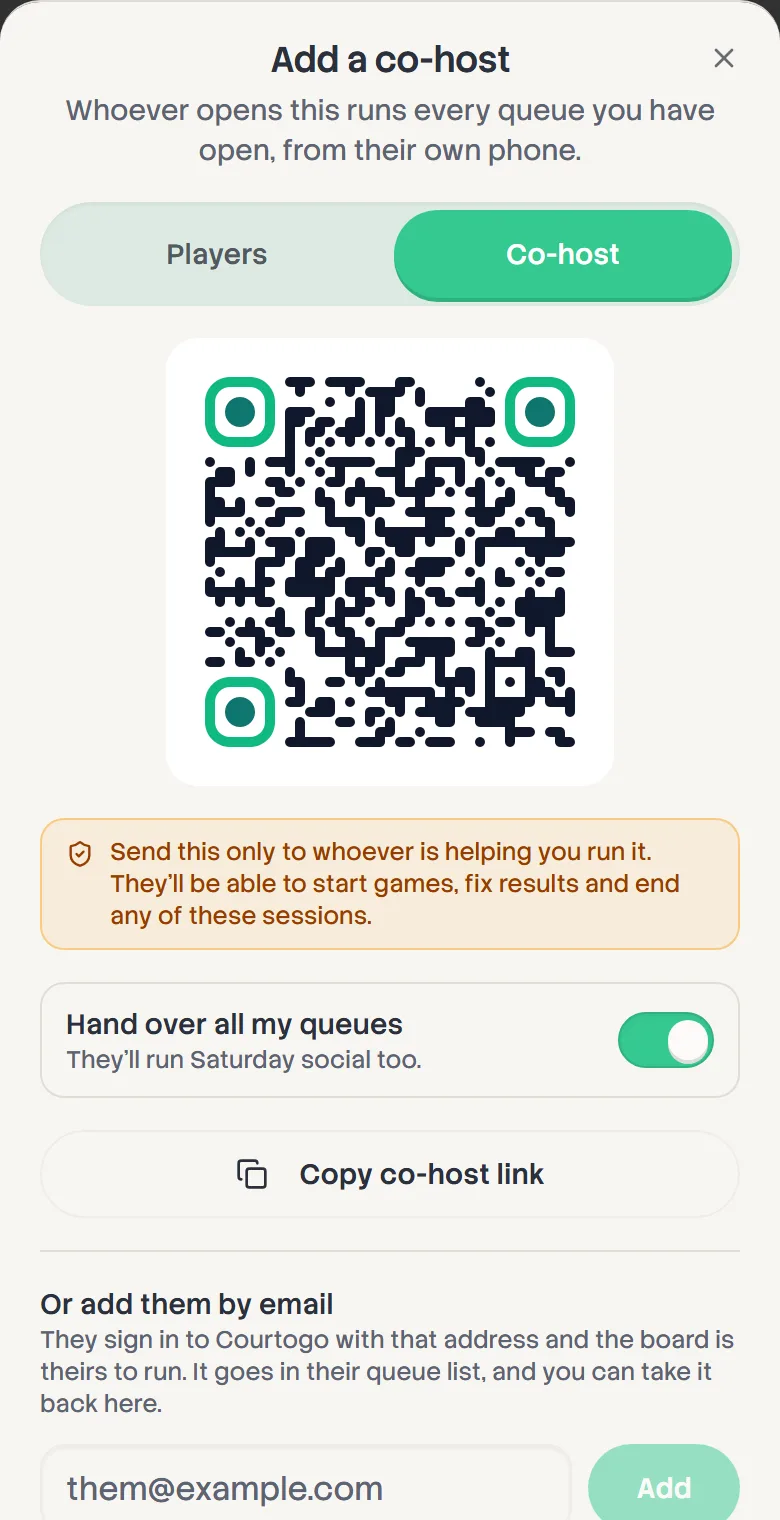
Open the share sheet and switch to Co-host. Whoever opens that link runs the queue with you from their own phone: starting games, fixing results, ending the session. Only send it to the person helping you.
- 2
Hand over several boards at once
Running a board for each division? Leave Hand over all my queues on and the one link gives them every board you have open on this phone.
- 3
Or add them by email
If you're signed in and the board is yours, enter their address under Or add them by email. When they sign in to Courtogo with that address, the board is in their queue list on any device.
- 4
Take it back
Co-hosts added by email are listed in the share sheet. Tap the X beside one to remove them. Only the board's owner can add or remove co-hosts.